
First off many thanks to the hundreds of thousands of users who have downloaded, used and given us feedback on Panda USB Vaccine. Not only is it allowing us to improve this free utility for the community, it also helps protect users a little better from spreading malware infections.
Finally Panda USB Vaccine is out of beta and version 1.0.0.50 is here. Some of the most notable improvements are the following:
- Support for vaccinating NTFS drives. This uses a completely different technique than the vaccination of FAT/FAT32 drives.
- Executing USBVaccine.exe launches an installer which allows you to configure whether you want USBVaccine to start automatically with Windows.
- Configuration option during setup to hide the tray icon.
- Configuration option during setup to automatically vaccinate any new USB drives inserted into the PC.
- Fixed bug on PC shutdown when USBVaccine was running in the background (Vista).
- Other bug fixes reported by users on certain types of USB drives.
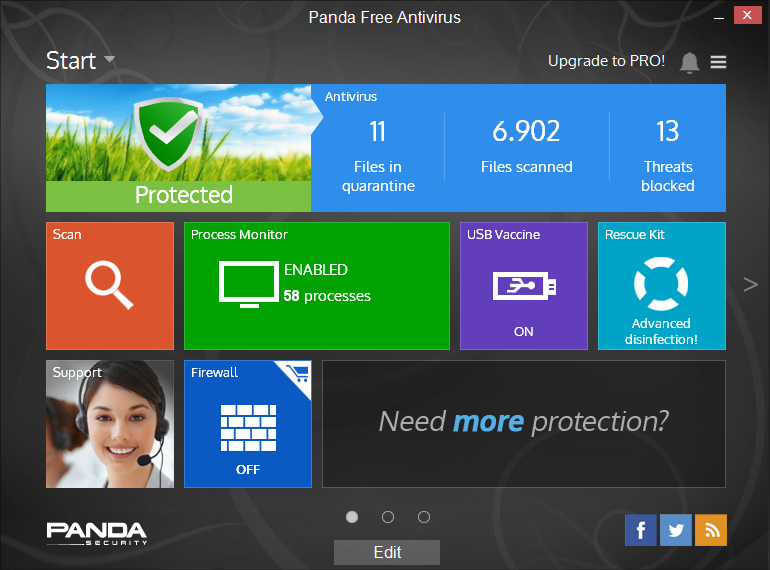
Some screenshots of the new Panda USB Vaccine:
As always you can get it directly from download.com:


Panda Security specializes in the development of endpoint security products and is part of the WatchGuard portfolio of IT security solutions. Initially focused on the development of antivirus software, the company has since expanded its line of business to advanced cyber-security services with technology for preventing cyber-crime.


68 comments
good work panda team! file is invisible and i can only seem to see it using a hex editor.
anyone know how they did this ?!
well, seems they managed to make the ntfs mft recognize autorun.inf that they’ve created to be a system file and as such is hidden and cannot be accessed.
anyone know how they did this “magic” trick ?!
trying to find out using winhex.
Thanks for a nice tool! Just one question:
What is the md5 checksum of the USBvaccine installer?
over all its a nice product, and its free
NTFS method works on USB-HDD drives ?
@Alvin Chen , Great comment,,, xxx Panda XXX USB XXX NTFS XXX FAT32 XXXX &rdquo 🙂
i think he wants to say panda usb vaccine supports fat32, ntfs and its a great tool 😀
@Jonesy, the MD5 for the installer is 6A99C5A3065E5F97E813AC239ECC08E3.
@Gari, yes it works on NTFS USBdrives.
I really like Panda USBVaccine! Cool!
Panda Tec
Tried Vaccination on my SONY ICD-SX57 Digital Voice Recorder Stick using Beta version 1.0.0.18 but it only came up Vaccination was not possible
Today I have formatted my SONY ICD-SX57 Digital Voice Recorder Stick and tried New version 1.0.0.50 released and when I plug the Digital Voice Recorder Stick into the USB the window stays the same INSERT USB KEY version 1.0.0.50 does not recognize Recorder Stick Beta version 1.0.0.18 at least did but Vaccination was not possible
Need help why
i’m using it for few days, and it rocks, very good tool, excellent work you guys have done,, 1 request, plz make a free tool to upload files directly to CI for non panda users like virus total has created a uploder,
@buddee, noted 🙂 I know you’ve been asking for this for a long time… give us some time 🙂
some1 i need help here!i would like to ask how to update the USB vaccinate???some help me and answer me back,thanks
@pedro, 1 word , T H A N K S
@buddy11, y u want to update it, it doen’t use signatures.
I have Norton Internet Security, do not need it
hi there dear friends and tech team , may this /accination process success in infected usb drives or even infected pcs ? and is it suitable for infected encrypted machines and drives ? mean the machines which got prevention of installations and usb drives which lost its main headers the way it turnt unreadable unrecogniseable ?!!!
Feature request:
Then vaccinating usb drives, remove folders named “autorun.inf” containing files like “lpt1”, “com”, “con”, “prn”, etc, and files with a dot at the end of their name, like “test.”. Such folders/files are created by some other hand made vaccinating software (such files/folders can be accessed from windows throug \.F:filename method).
Thanks
great post brow but i need that program for support NTFS.anybody know where i must go?
Just for the fun:
USBVaccine.exe
737736 bytes
ADLER32: 5ba2e82e
CRC32: f4cec4b2
MD2: 6e3c9ee5862846d93b7badbb2c03f619
MD4: d9fdd59af3eba6afec021c8fc6946bdb
MD5: 6a99c5a3065e5f97e813ac239ecc08e3
SHA1: 49ad40ce617635ae5e9b29dfd8c57c6fb01f064e
SHA256: 99266b2a6bf34ef6e4abf2caeb796bb17af08ff406c7200f55b6816d6ce9b616
SHA384: 061112761a02f03ff2723cd5cc93c32eeb2d31efa7d92e641b4f0baadf0059e919bd92ef0cc6fdc371267c5f9268c88e
SHA512: ec08b9ab219e50fd41e784f1887a25f89cc97b005ff22d520b5a59d3d9b187b9a935bab63ef65d7591e4a806a5765fda9eaac0f4dcf07e24e5ac4436915b5719
RIPEMD128: 03adff69d21922da723a9dd69a2a0b6f
RIPEMD160: 09ff2733943751fb821c1d20e7d3f19b319c9a9c
TIGER128: b06a4cbcd8a99d2c194c28633ff2ed04
TIGER160: b06a4cbcd8a99d2c194c28633ff2ed0416a954a5
TIGER192: b06a4cbcd8a99d2c194c28633ff2ed0416a954a55766a71e
GOST: c129797961409b0e7e1ef3b311379b416d7e8fbcb88c948cd9d4cc2ef6f23f11
really this software is awesome… even if there is an autorun (invisible), none of the detectors can detect it.. how they did it??
Great work! I downloaded it, I use it. There aren’t many people who wana do works for free these days. Thanks, Panda team.
@zala77
Good for you, And good luck with that!
Windows XP Home SP3 Spanish / Pentium 4HT
Error instaling USB Vaccine ver 1.0.0.50a
I have my PC vaccinated with a previous versión.
Installing the new one a Program message appears:
“creating scheduled task for autorun”
Windows popup message:
“unable to execute file schtasks.exe”
“CreateProcess failed. Code 2.”
“El sistema no puede hallar el archivo especificado”
Please send me an explanation or solution.
Thank You.
@jose luis, can you try the following:
1- open a command-line window
2- type “schtasks” and then hit enter
Do you get an error? Which one?
wonderfull it works thanks
Thanks a lot for great additions, especially for no close confirmation on shutdown and ntfs support!
Hi,
I’ve installed USB Vaccine 1.0.0.50, give it a try (scanned a 320 GB NTFS external hard drive) and unfortunately for me, I got the following message:
Usbvaccine
Vaccination was not possible
Disk structure is not valid. Run chkdsk /f command.
OK
Seeking for advice.
Thank you.
@Hiezrie, please run the chkdsk /f command on the external drive and then try again to vaccinate it. It is very important that you do not interrupt the vaccination process while it is running (it can take a while on a big NTFS drive) as it can create corruption.
Hi, I downloaded this amazing tool, may I ask why t version of Panda USB Vaccine is 1.0.0.51 not 1.0.0.50 and the md5 checksum is different from the one listed here by ppl in comments. Is it updated again in August? Is dw.com.com a malware website? that link looks suspicious to me.. Just want to make sure.. Thanks
@kev, where did you download 1.0.0.51 from? The official download link is:
http://download.cnet.com/Panda-USB-Vaccine/3000-2239_4-10909938.html?tag=mncol
Hi, well I downloaded from cnet button link from this Panda website page when I click the cnet button it just directs me to dw.com.com and the file comes from dw.com.com) so without hesitation I blocked dw.com.com in my browser (which looks very suspicious.. btw) when I click the button to download USB Vaccine this time
it says the file comes from research.pandasecurity.com, so I download and double checked it using Filealyzer after download
the file doesn’t match the md5 checksum listed here and the setup executable has a version ID of 1.0.0.51 which is not present in 1.0.0.50!! it suppose to just say 0.0.0.0.) Be careful and always double check before you install stuff guys
Thank you for your help.
Lovely Software !.. Panda Is doing a good job!.. 🙂 .. but is there anyway to keep the Custom icon and label of the drive?..
Hey I found a new version 1.0.0.51 (as kev mentioned) at following link http://www.freewarefiles.com/Panda-USB-Vaccine_program_50175.html
If the version is not official is it fake? Please have a look at it.
this is making me think of trying out the internet security… and by the way it would really be good for panda to develop an extra tool in 2010 which could automatically remove files created in certain locations with sepecifc according to some rules. because usually there are viruses or malware that keep coming onto systems and A/V programs don’t detect them.. so then if it just recognizes the names, it will automatically delete. And then it would be good to see some sort of a tool integrated in internet security which updates like combofix and bruteforces the removal of many viruses.. i don’t know if that’s possible but that’s what I’d be looking forward to in an internet security.. something so tight that nothing could infect the pc. Because some systems may be running normally without any viruses getting detected on the system, but when you go to run a virus removal tool from the internet, it removes quiet a number of things. And this USB detecting tool should be included with internet security. Because then there’s wont be the trouble of downloading many softwares for specific jobs. 🙂
Regards,
Ryandigweed.
@ryandigweed, sorry no way to keep the custom icon once vaccinated.
@SGK, you're right, v.51 is available from download.com as I uploaded it from a repository. However it does not incorporate any significant improvements. I'll update the post once we upload the latest version with more improvements.
@ryandigweed, thanks for the suggestions. As a matter of fact Panda Internet Security 2010 already incorporates the USBVaccine. In regards to your other suggestion, the disinfection engine of Panda does have the same if not more functionality of combofix and the like. It's just a matter of getting the right disinfection signatures (of all registry and settings traces, not just the files) in the disinfection routine. If you find a malware that is not completely disinfected please let us know at virus@pandasecurity.com.
Cheers !
Thank you for the information. Just trying to help you’ll to find out what people want from antiviruses these days. 🙂 .. Planing on Trying out the 2010 version. There is a 30 trial?.. 🙂
And About the files to delete. Just wanted to know if there was a way to configure it to automatically delete unimportant files according to the input.Because sometimes there’s just trash collecting. 🙂 Gonna Try Out the bootable cd on my laptop 🙂 Will let you know what i think about that too. 🙂 Keep up the good security. Will Save that email address. 🙂
Regards,
Ryandigweed.
i tried out the Panda IS and found it confusing to configure.. and it keeps prompting for password. And i tried making the booting USB .. but it didn’t work.. could it be because i used a Kingston Slim USB?..
how they do crete autorun.inf that cannot delete?anyone can explain? what a great software
hey this vaccine is really good..but my camera’s memory card had been accidently vaccine and i can’t seem to open my files..is there any how i can do it..please pictures of my late grandmother is in there…i really would like to retrieve those pictures…i hope there is somehow you guys can help me..thank you so much…may God bless this company…
I had been seeing this software in a newspaper. Panda software is the best for me.
@eevonn, you should be able to browse your camera files via Windows Explorer.
when i started panda usb my floppy drive made a noise and after vaccinating when i put my usb in it made a noise again, is that a side effect? i got round it by disabling my floppy drive.
Floppy drive makes a noise when i open the panda usb vaccine and whenever i insert a usb even after unvvaccinating is that normal?
@gulfaran, does your floppy drive make the same noise if you simply doble-click on the floppy drive under Windows Explorer? Is it a USB floppy drive?
When you release a new version, please sign it digitally. The latest one doesn’t pass the signature check. It almost gave me a heart attack. Although its not the first time I saw legit apps failing signature validation. The McAfee DAT updater does that since time began.
I was talking about the version from:
http://www.freewarefiles.com/Panda-USB-Vaccine_program_50175.html
@AMRX, I’ve downloaded from the location you provided and it is digitally signed. Make sure the download was correctly finished and then check again (right-click, properties, Digital signatures).
This program is a life saver. Before I found this program, I had many problems with usb users at my organization. Now no more headaches from usb viruses. I know that this program does not kill viruses file but it stops the spread of the virus.
May I give a quick suggestion.
I understand that the panda autorun file cannot be modified except formatted. Is it possible for you to put in a brief message in the autorun file which describes that it is from panda and the website to go to for further information and so forth. In order to distinguish between the safe and the infected autorun files. And so we know that it’s the safe panda autorun file.
Like your product. Does the new version uninstall the beta version automatically or do we have to manually uninstall older version first.
Thanks
Cecil
I have a Toshiba USB drive and it is set up with U3 software to require a password to logon to the drive. After running the USB vaccine, the U3 script runs but does not allow the logon screen or password entry any more. How can I uninstall the USB vaccine?
tried usb vaccination still my usb gets infected
also my autorun.inf file i am unable to view, i want to put my original autorun.inf renamed as autorun_.inf so that i can view the icon on usb drive in my computer and sure infected or not
pls advise
Hi,
this software is really good.
Also i will want to know if does have updates.
How is it done, and manually or automatically?
Thank you.
Daniel
@Joe, thanks for your comments. Unfortunately even if we put some text inside the vaccinated autorun.inf saying it is from Panda, you will not be able to read it as you will not be able to open it.
@Cecil & @Daniel, it does not update automatically as it doesn’t really need updates. Check or subscribe to our blog for any new versions that may be released in the future.
@chas, if your drive is FAT look at some comment above or search around for how to remove vaccination using WinHex. If its NTFS, there’s no way to remove it other than with a format.
@Dan, there’s no point in having an icon defined in the vaccinated autorun.inf file as Windows cannot read it (and therefore cannot show the icon).
Thank you. I LOVE PANDA !!! Make please more free utilites 🙂
Thank You For Anti inf for usb
Could you set the dummy autorun.inf file’s size to 0 bytes, to make seen, that it is empty?
Hi guys! It’s a good vaccination, however, if you want to erase autorun.inf file, use any LiveCD with Linux, I’ve used LinuxMint and I was able to erase it using root login. But, better keep it!
i got the same problem as jose luis. On installation, i get the message,
“unable to execute file:
schtasks.exe
CreateProcess failed; code 2.
The system cannot find the file specified.”
I opened a commandline window and typed ‘schtasks’ and i got the following message,
“‘schtasks’ is not recognized as an internal or external command, operable program or batch file.”
How will this affect the function of Panda USB Vaccine?
@winston, until you can fix the scheduler you can run it manually in the meatime. Simply execute %Program Files%Panda USB VaccineUSBVaccine.exe manually to vaccinate each USB drive you insert into the PC.
i installed the Panda Vaccine several weeks ago and mistakenly vaccinnated my computer. Unfotunately my computer no longer recognizes my ipod classic, meaning I am unable to ad or remove songs from my ipod! it would have been nice to know this before I made such a large mistake.
How do I corrct this problem?
Spyware Blockers
The reality is that not many people realize that they spyware on their computers. The truth is that too many computer users worry about viruses and completely disregard spyware and adware.
In today’s world, spyware blockers are really good at keeping computer infections from getting installed onto your PC. The safest way to keep malicious software from being put on your PC is to have the right knowledge. Learning how to spot malicious content is the best form of prevention.
Spyware sounds scarier than what they genuinely are, so you really don’t have to stress too much. After reading this, you’ll have a greater apprehension of what spyware is what to look out for.
Spyware Blockers programs are normally tougher to recognize than viruses. In most events, adware comes bundled up with spyware software and displays pesky pop-up adverts that will redirect you to other sites upon clicking on it.
The following will definitely assist you in spotting Spyware:
Popup adverts – you notice an increase in picture adverts, adult adverts or even text ads.
Your browser homepage defaults have been adjusted to an unknown website. Many times spyware or adware will change your web browser settings to that of the malicious software’s website.
Lots of redirections to strange or undesired sites. In this example, you might type in one site address and endlessly get redirected to a different web site.
These adware adverts are cleverly developed and will target your surfing habits. If you find that you’re getting more and more adverts relating to what you usually browse, then that’s a tell-tale sign that you have spyware.
Be suspicious of those spyware that are not being shown or detected, they are usually the most dangerous ones.
Once you discover that you’ve spyware on your PC, you will need to understand why and how it got onto your PC. Once you can get the root, it will be much easier to get rid of.
Effective spyware blockers can be used in most cases to find and delete all these destructive programs. However, sometimes they aren’t easily deleted.
Be wary of visiting unpaid television or music streaming websites that ask you to download software first. They’re the programs you MUST stay away of! There are fantastic spyware blockers available that are dedicated to assisting individuals get rid of spyware from their computers.
Do a free scan using one of the smartest Spyware Blockers, Spyware Doctor, to find and remove spyware programs Online Spyware Removal.
http://www.antiaffliction.com
@Rod, simply install Panda USB Vaccine again and from the program remove the vaccination of your computer.
the download link leads to version 1.0.1.4 Where we can download the latest version 1.0.0.5? And Furthermore, Mr Pedro this one very nice… do you have standalone AV that give RT protection while plugged?
I can’t find the 1.0.0.5 version. Anyone got a copy? Pls upload and share it with us..
@rahimhd, version 1.0.1.4 is already available. Please check http://research.pandasecurity.com/archive/Panda-USB-Vaccine-_2D00_-Version-1.0.1.4.aspx.
You might want to subscribe to the blog’s RSS to get notified of new version releases.
It works fine, but today my antivirus program (Avast) informs:
C:Program FilesPanda USB VaccineUSBVaccine.exe — Trojan Win32:Delf-MZG [Trj]
I have sent to Avast message about false reaction.
@http://
Your USB will get infected if you connected to an infected machine, but they WILL NOT infect anything nor the virus will run. The virus copies itselft to the USB but the INF file WONT change since it is protected.
This is best for USB Drive.I like this.
This is a radical approach. I have formated my USB drives and they still contain the infection going around. It launches a DOS exe that practically renders all current protection useless. That includes Norton IS 2009, Avast!, AVG, and Windows Defender. It will not let any new antivirus from being installed nor run any pre-installed scanners from executing such as Malwarebytes’ Anti-Malware. I will try this and report. Thanks.